Theme studio guide
Public themes download straight in the launcher, supporter themes with a key you request, personal themes with the key you were sent.
Three kinds of theme
One theme changes the cluster, dashboard and control switches together. You download themes in the launcher's Theme Studio; this site is for previewing and requesting keys.
Anyone can get these without a key — tap «Get» in the launcher's Theme Studio.
Need a download key. Leave your email with «Request a key»; once approved the key arrives by email.
Made to order. Not listed anywhere — you get it only with the key you were sent.
Getting themes in the launcher
-
Open Theme Studio
Go to Settings › Display › Theme Studio. Switch between the three sections at the top — Built-in, More themes, Personal. «Enter key» at the top right is where a download key goes.
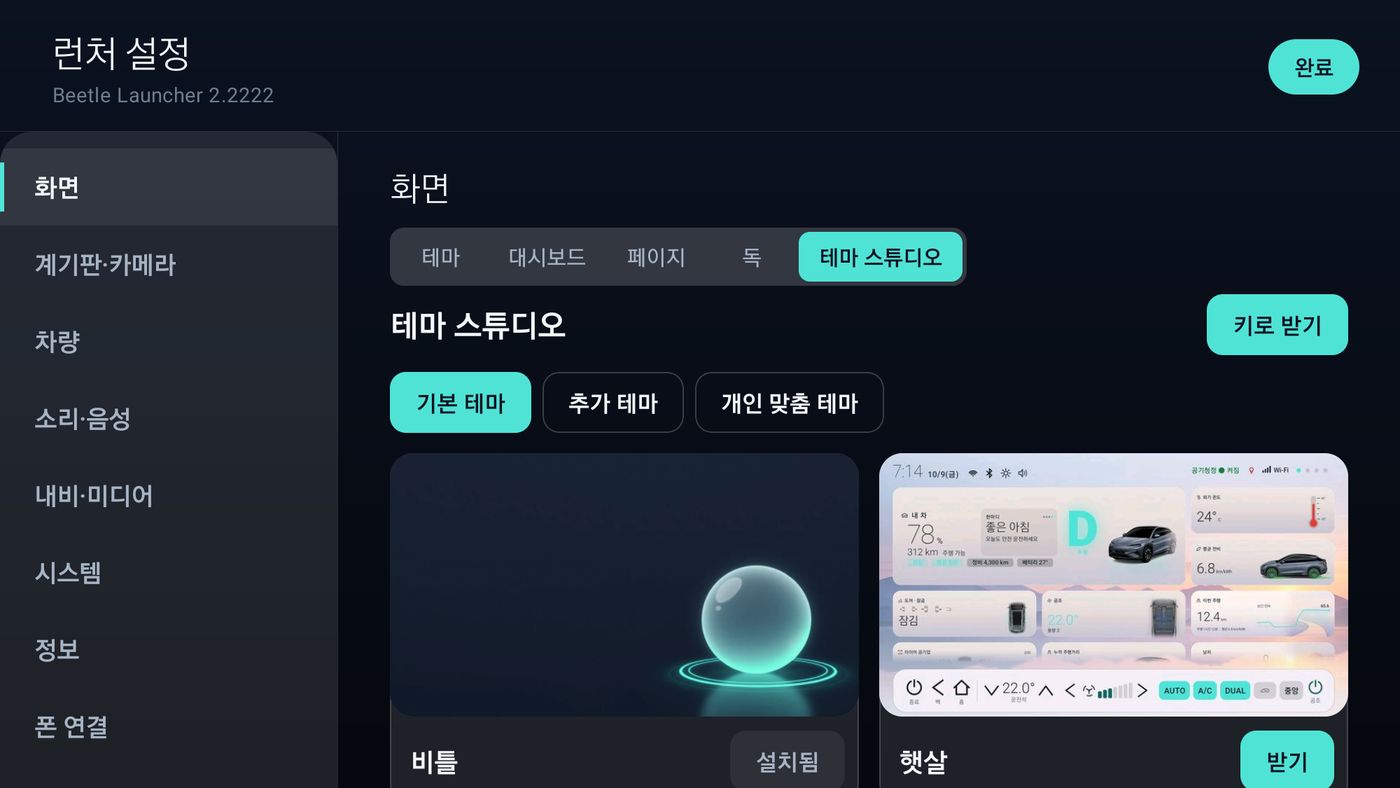
Built-in — Beetle ships in the app («Installed»); the rest show «Get» -
Get a public theme
In Built-in or More themes, tap «Get» on any card marked «Public». No key or sign-in. The button shows a % while it downloads.
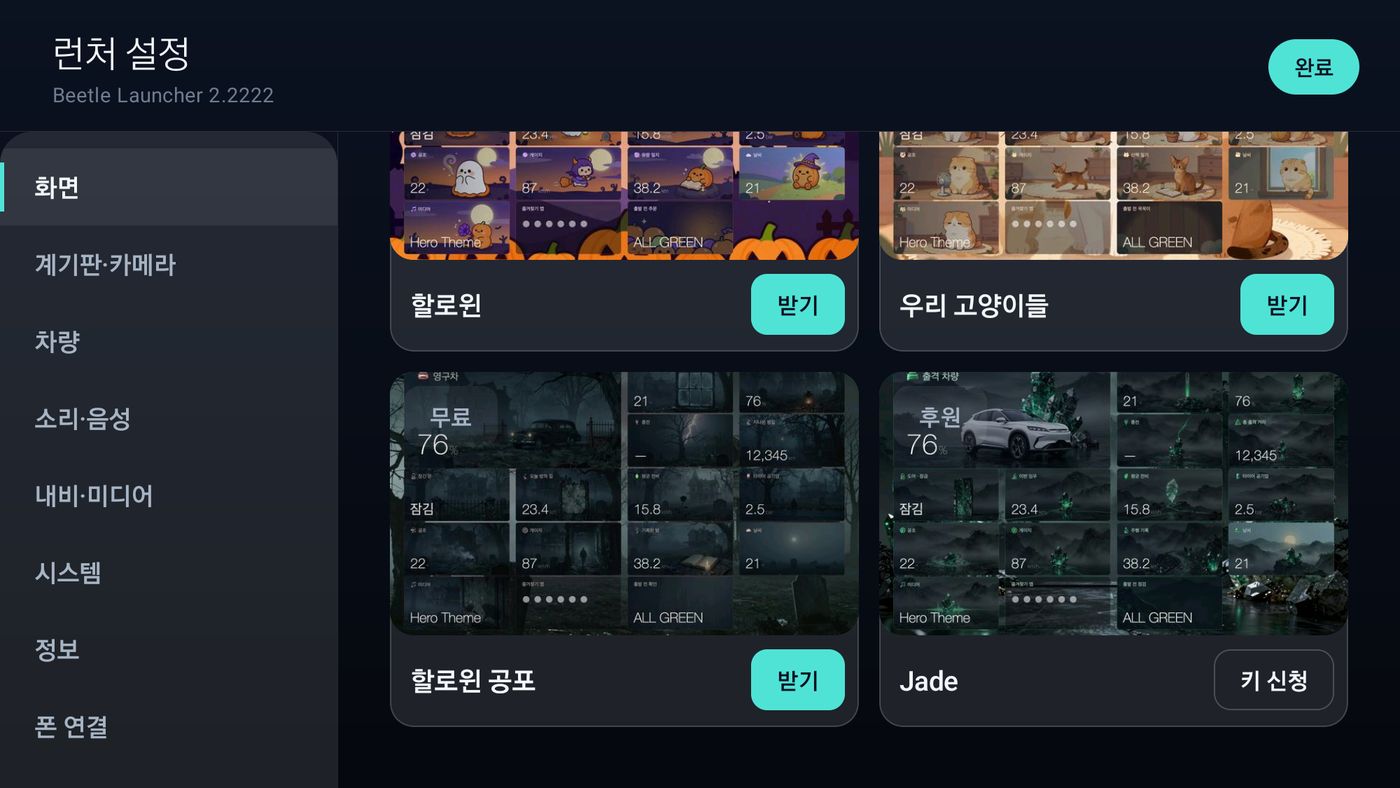
More themes — left is «Public» (Get), Jade on the right is «Special» (Request a key, no support needed) -
Supporter themes — request a key
Tap a «Supporter» card to preview the cluster, dashboard and controls. Under «Request a key», enter the email the key should go to, tick the consent and tap «Send». Once approved, the key arrives at that address. Check progress under «My requests». Supporter themes are for a minimum support of ₩20,000 and made-to-order themes ₩30,000. The launcher itself is free for everyone, support or not.
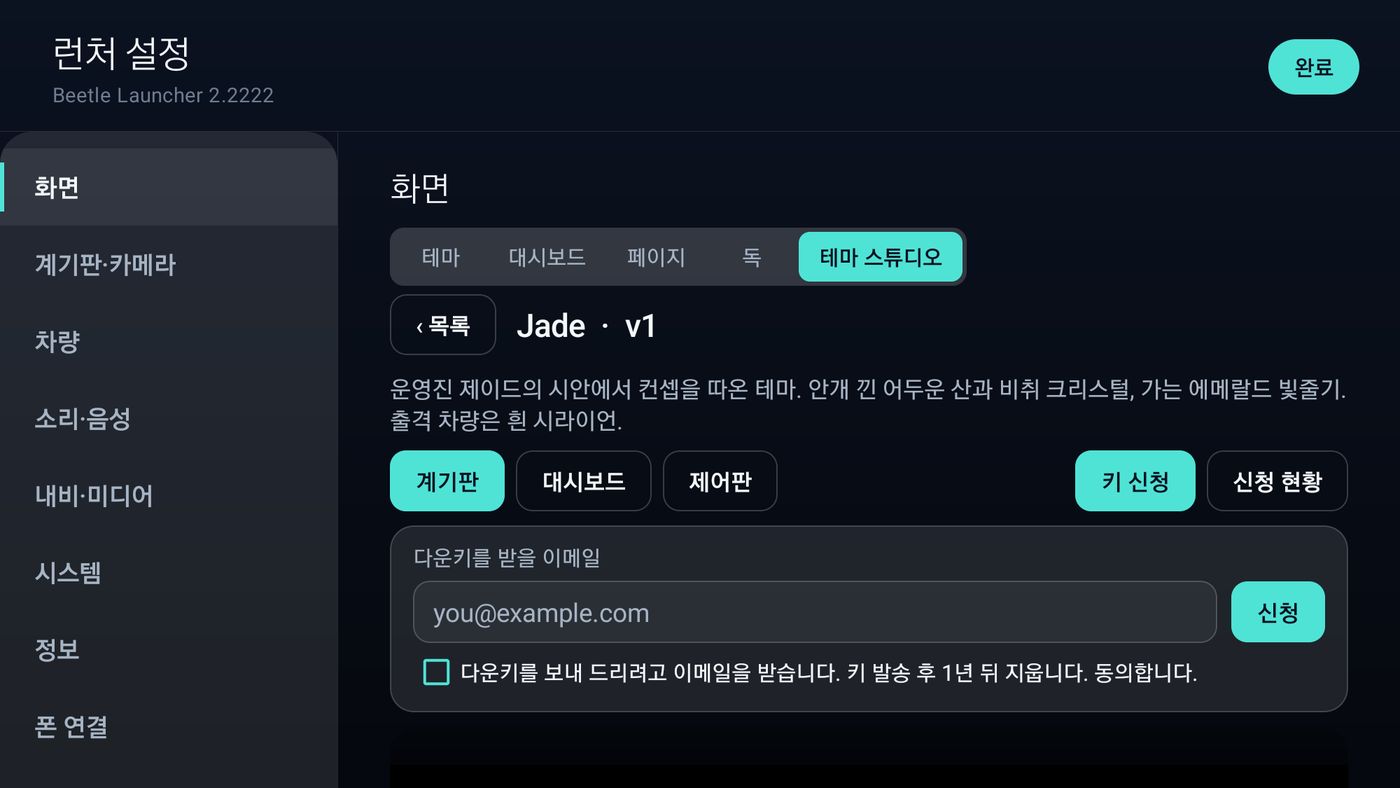
Supporter theme preview · key request -
Get a theme with a key
Enter the key from your email (it starts with TH-) in «Enter key» at the top right and tap «Get». Supporter and personal themes both go here. A key may be limited to a number of devices.
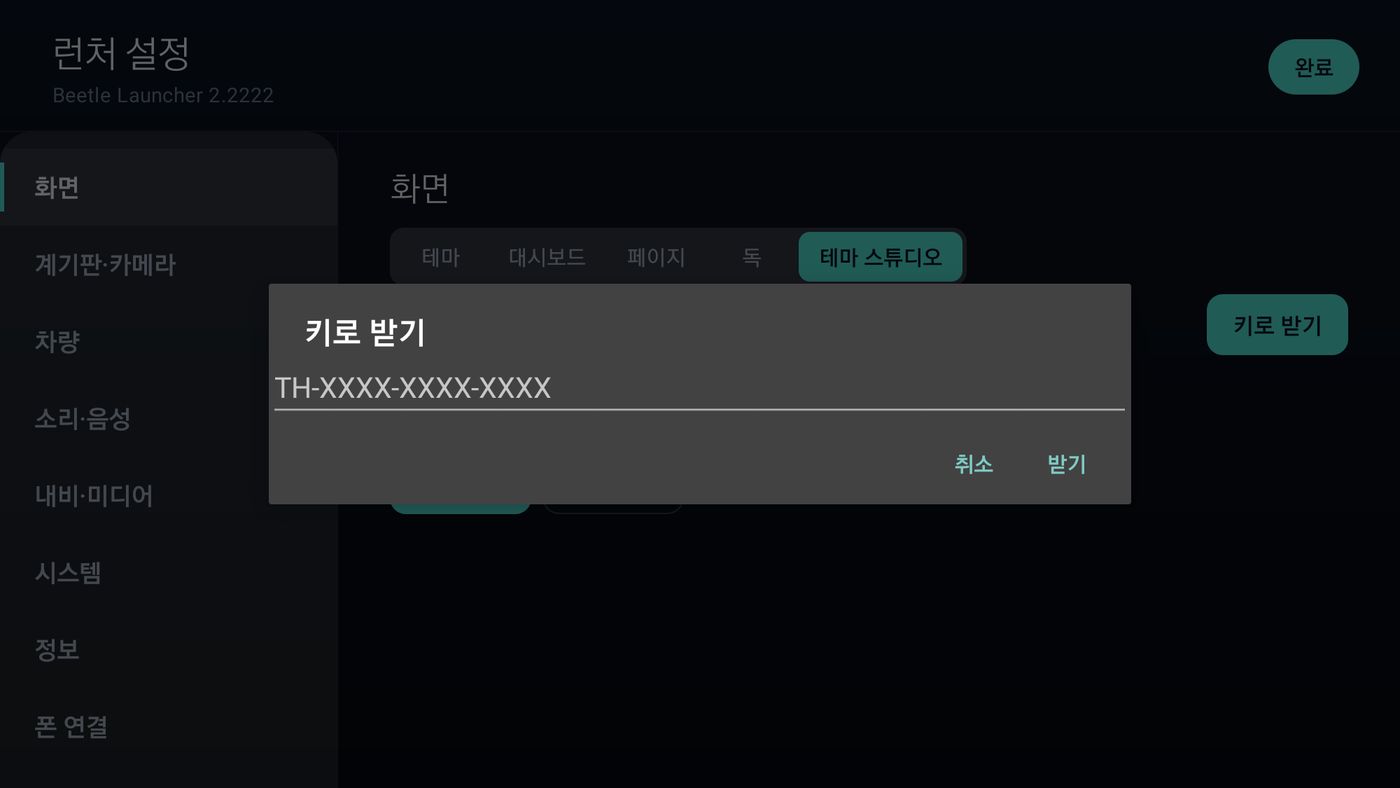
Enter key — type it and tap «Get» 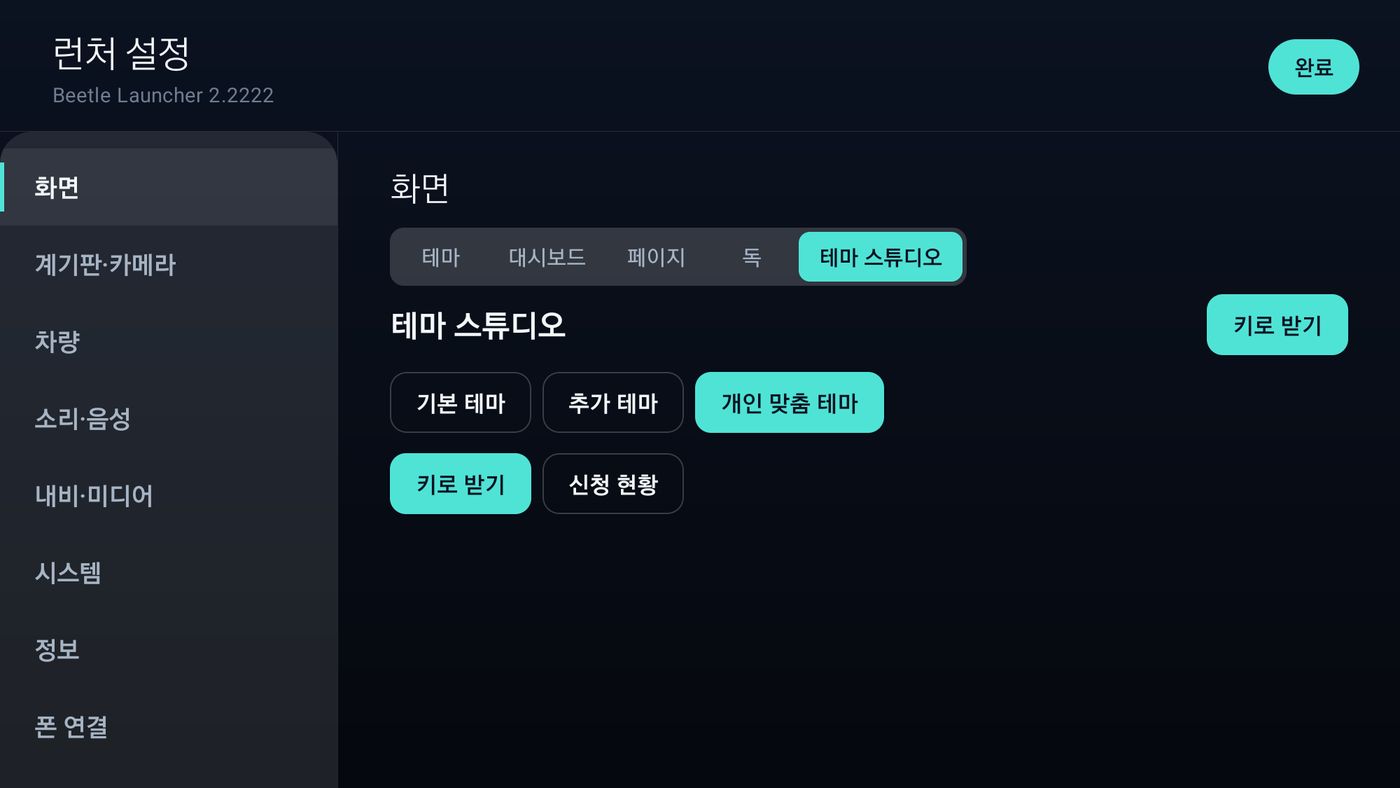
Personal — Enter key · My requests -
Use a theme you downloaded
Downloading does not switch themes by itself. Tap the «Theme» row under Settings › Display › Theme, or the «Theme» button on the dock, and pick the one you downloaded — the cluster, dashboard and switches change together. Artwork for the built-in theme you are already using applies as soon as it downloads.
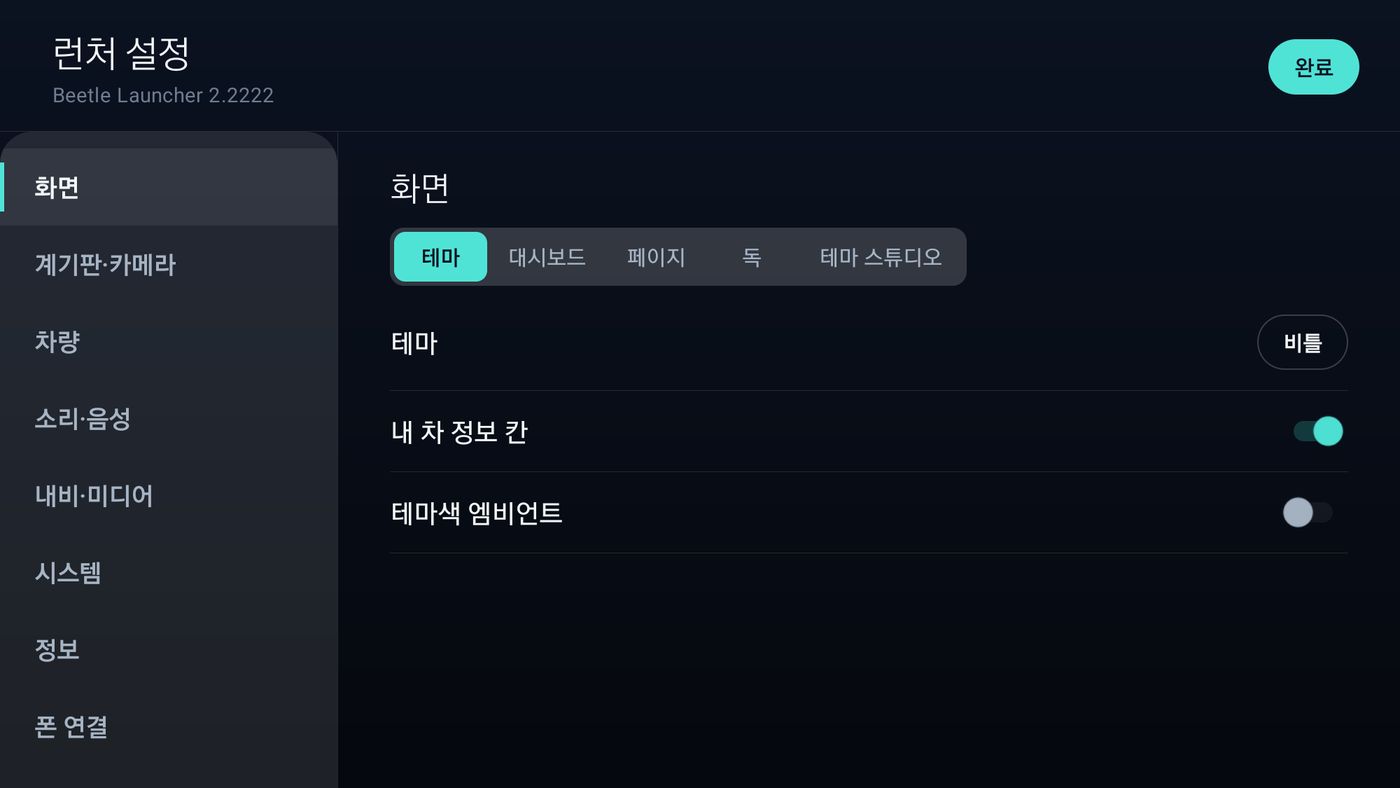
Settings › Display › Theme — pick with the button at the right of the «Theme» row -
Update · delete
When a new version is out, the card button turns into «Update». Updating the theme you are using applies it straight away. Remove ones you don't need with «Delete» — deleting the theme in use goes back to Beetle.
What you can do on this site
Themes are not downloaded here. Preview them, request keys, see your keys and ask for a custom theme.
-
Browse
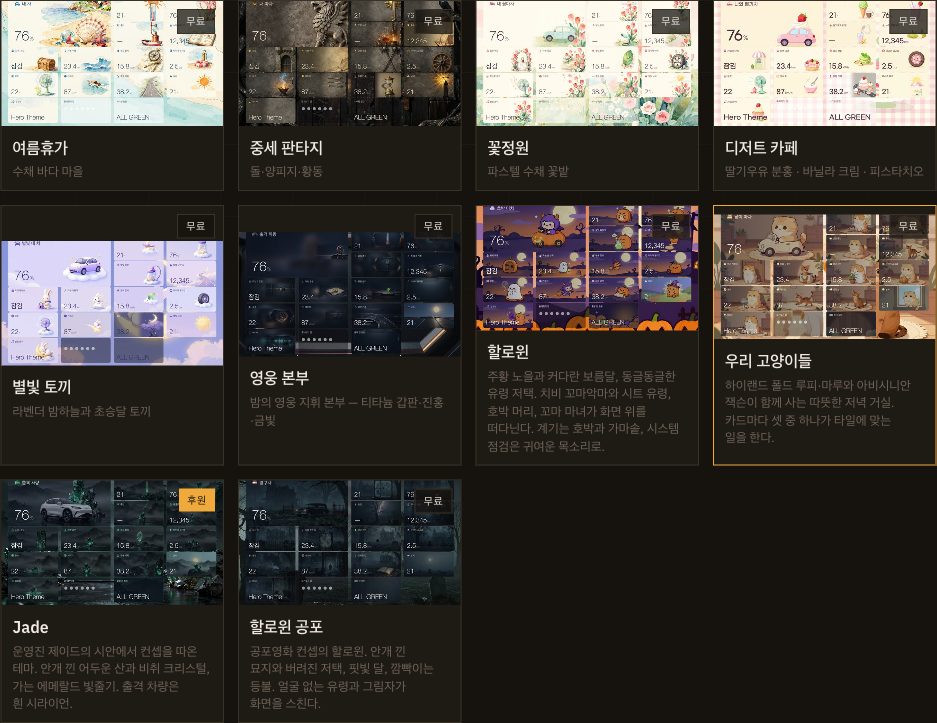
Cards on the Theme Studio page are marked «Public» or «Supporter». Tap one to see its cluster, dashboard and controls full size.
-
Public and Supporter windows
A public theme's window only says to get it in the launcher. A supporter theme's window has «Request a key» and «My requests» — the same request as in the launcher.
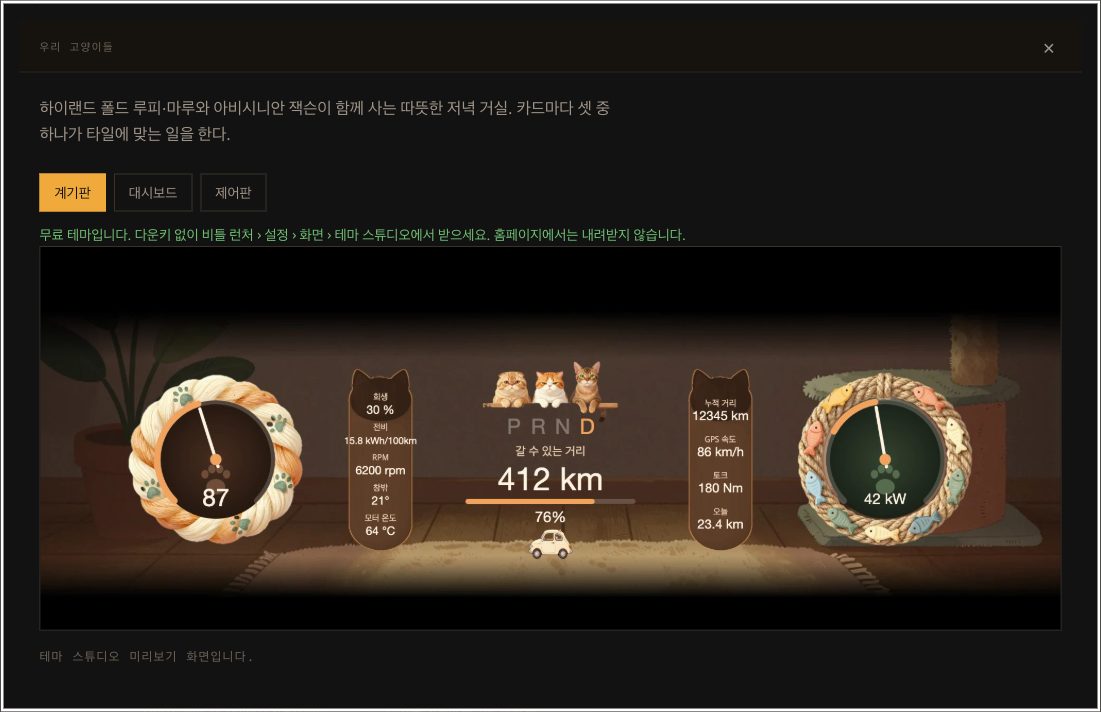
Public — get it in the launcher 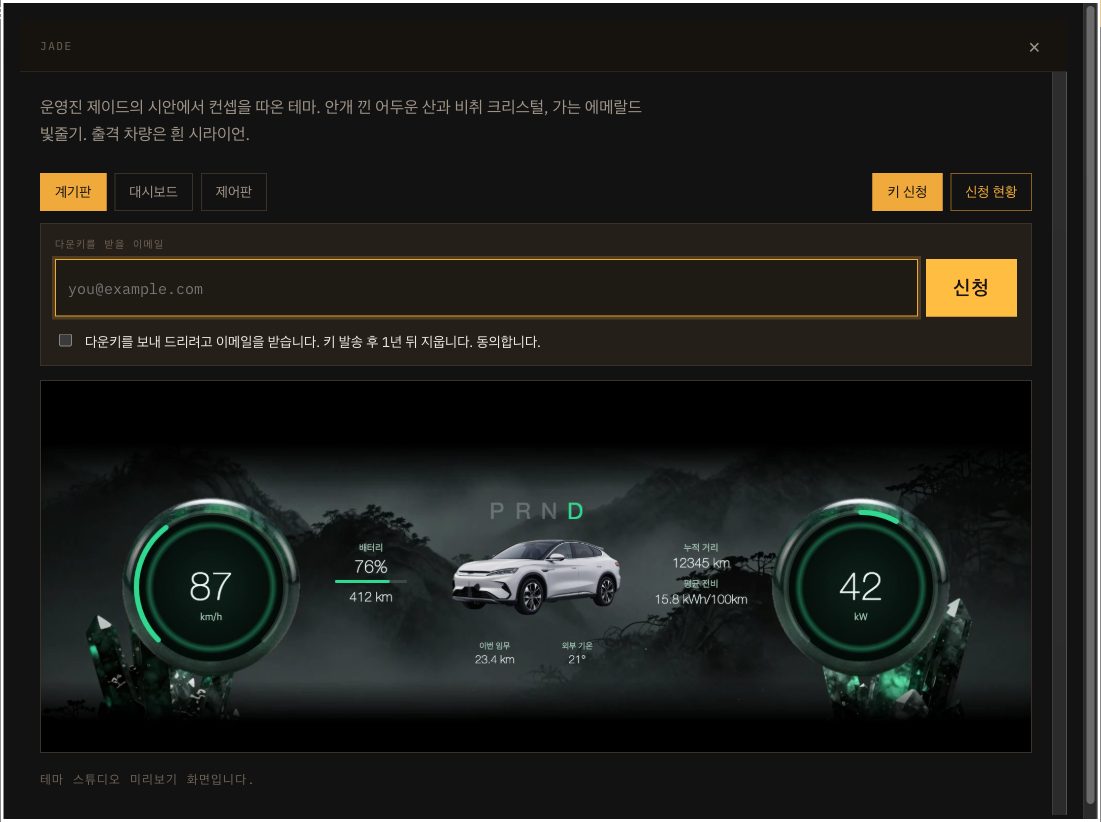
Supporter — request a key -
My themes — sign in by email
Enter your email to get a sign-in link (no password). Open it to see the keys and themes sent to that address, how many devices each key has used, and your requests. Lost a key? Find it here.
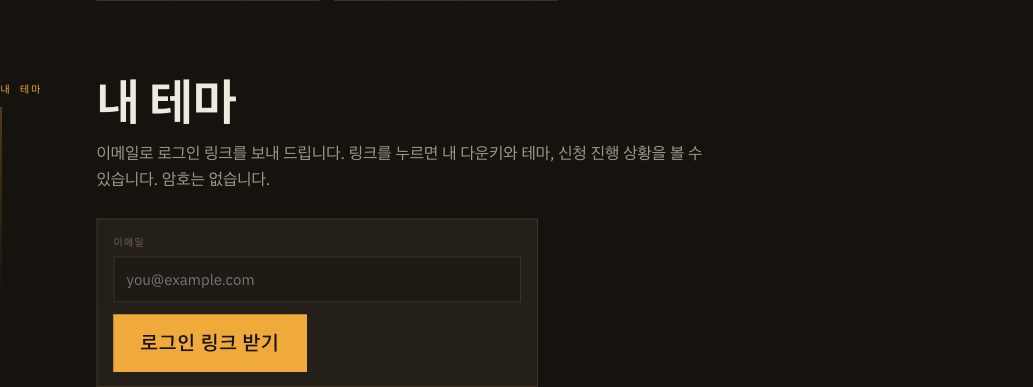
-
Ask for a custom theme
Describe the theme you want and add reference photos. Choose an email and password, the screen orientation you mostly use (landscape, portrait, both) and dark or light. Only the admin sees your post; check progress under «My posts». When it is ready, the key for your personal theme is emailed to you. You must agree to the ownership terms to send it.
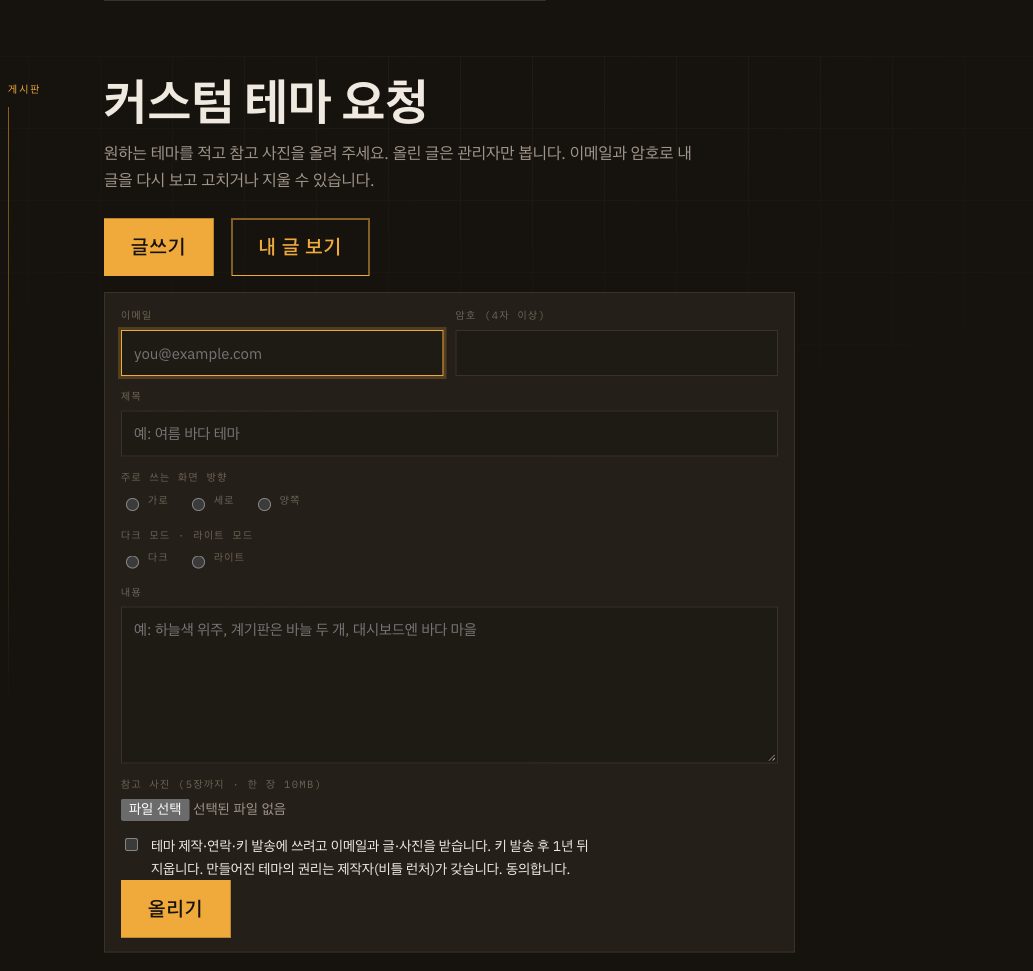
Questions
- «Get» does nothing
- The car (or device) must be online. Without a connection you only see the saved list. Try again in a moment.
- Where does the key go?
- Settings › Display › Theme Studio › Enter key, in the launcher. There is nowhere to enter it on this site.
- I downloaded it but nothing changed
- Pick it under Settings › Display › Theme, or with the «Theme» button on the dock.
- Who owns a theme made to order?
- Copyright and ownership of a theme made to order belong to its maker (Beetle Launcher). You may download it and use it in your own car. The maker may offer the theme to others or publish it in Theme Studio. You may not pass the theme or its download key to anyone else, or sell them. The download key works once, on one device (that device keeps getting updates). To download again on another device, the admin has to unlock the key.
- I lost my key
- Sign in with that email under «My themes» on the Theme Studio page.